 Excel template
Gantt Chart Project Schedule
Enter a task, start date and duration. The end date and Gantt bars are drawn for you, with progress shading and late tasks highlighted. Day or week view.
Opens the Gumroad product page. The price shown there is the one that applies.
Need more than one template? This one is also in the Excel Templates Bundle (all 4) on Gumroad: $19 instead of $30 bought separately.
Free lite edition (xlsx): 15 tasks, day viewDirect download, no sign-up. No week view or Skip weekends.
See how it works
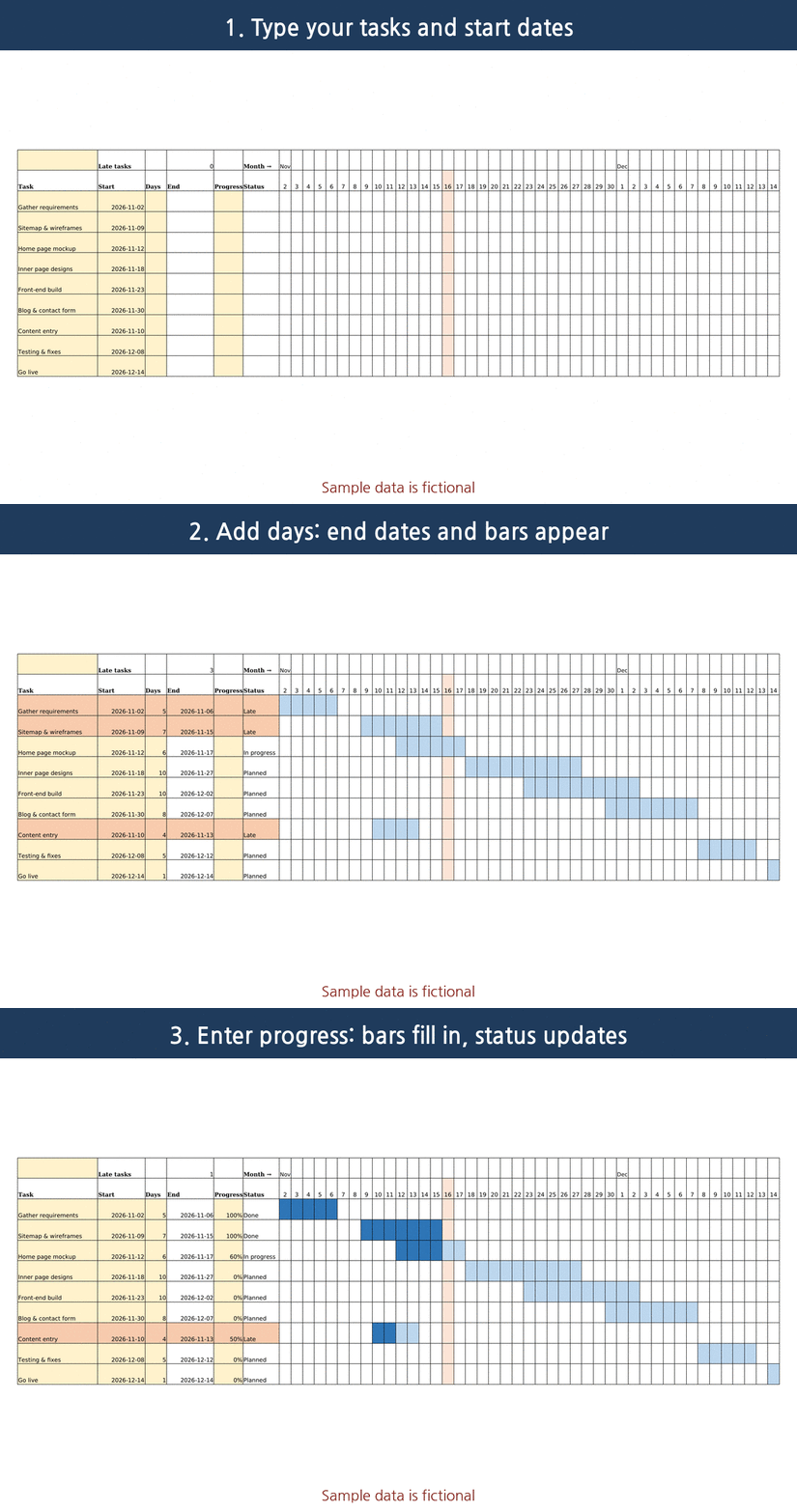
What the sheets look like
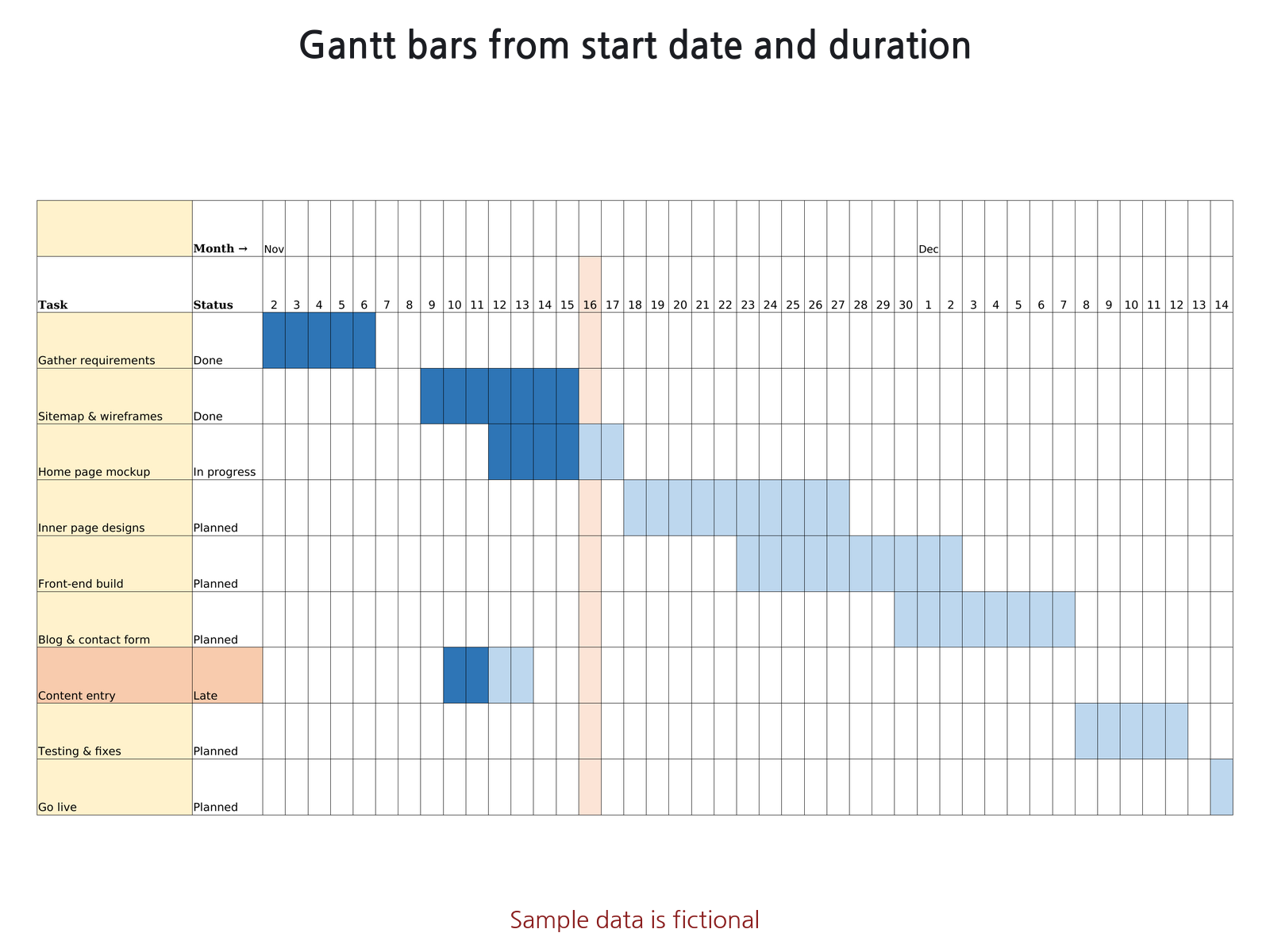
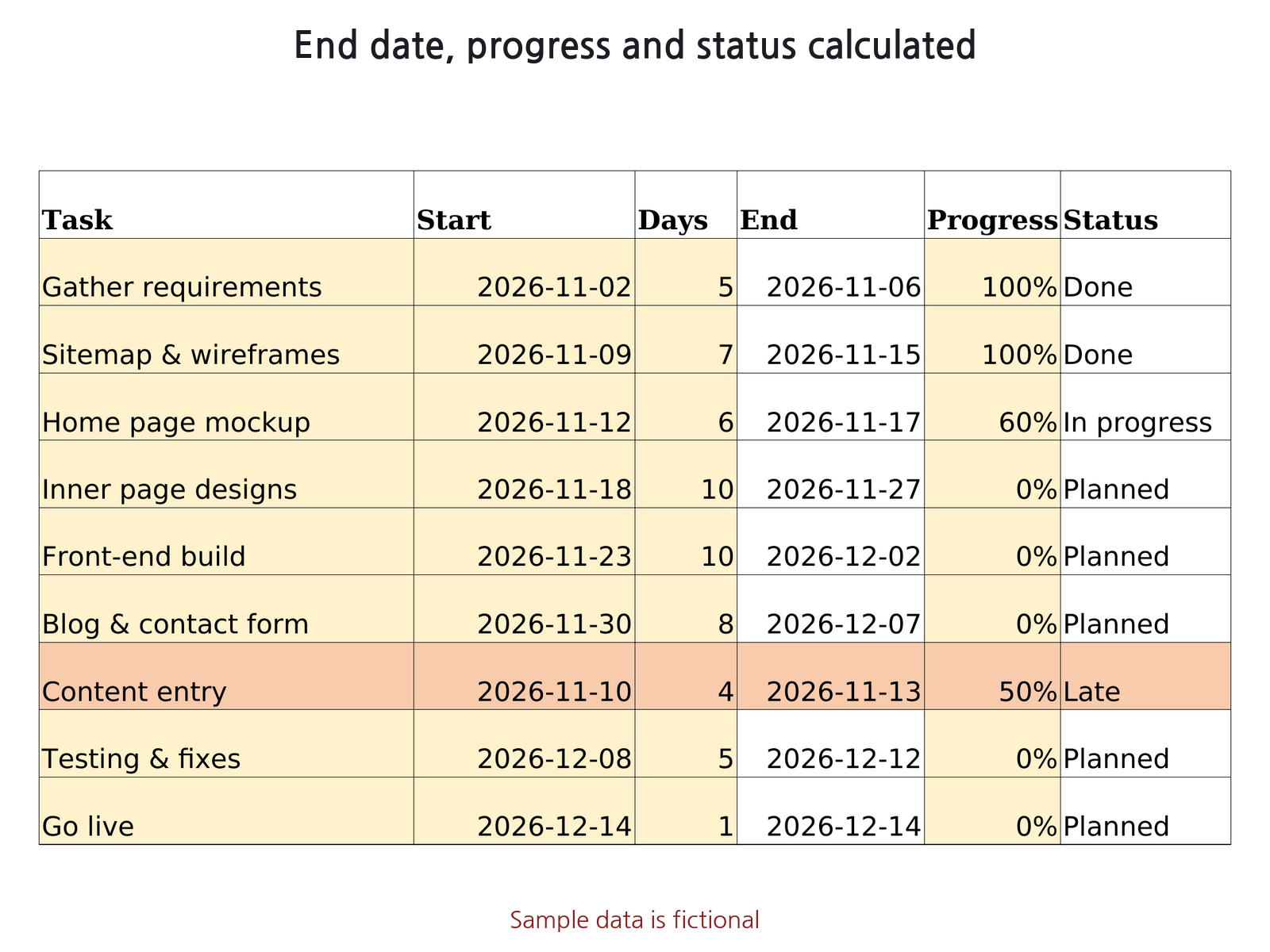
What it does
- Up to 200 tasks: phase, task, owner, start date, duration (days), progress %.
- End date and status (Done / In progress / Planned / Late) are calculated.
- Gantt bars: dark = completed share, light = remaining. Late tasks are highlighted. The status date (today) column is highlighted.
- Day view (91 days) or week view (about 1 year 9 months), chosen from a dropdown.
- Optional skip weekends: duration counted in weekdays (Sat/Sun only).
- Summary: project start and end, overall progress (duration-weighted), number of late tasks.
- Dates use ISO format (YYYY-MM-DD). No macros or VBA.
What it does not do
- No task dependencies (moving one task does not move the next).
- No public holidays, resource allocation, costs or milestones.
How to use
- On Schedule, enter one task per row: phase, task, owner, start date, duration, progress. Yellow cells are inputs.
- Pick the view unit (Day or Week). Optionally set the view start and Skip weekends = Y.
- Leave the status date blank to use today, or type a date.
- Read the bars: dark blue is done, light blue is remaining, late rows are highlighted.
- For the next project or year, change only the view start.
Sheets in the file
- How to use: steps and calculation rules
- Schedule: task list, summary and Gantt bars
Compatibility
- Microsoft Excel: .xlsx file, no macros, uses functions common to Excel 2010 and later (WORKDAY, SUMPRODUCT, COUNTIF). Not yet opened in Microsoft Excel by us.
- Free lite edition: opened on 2026-11-02 in Microsoft's Excel for the web viewer (no sign-in). The Gantt bars, the today column and the Late row highlight displayed, with no ##### cells. The full edition itself has not been opened in Microsoft Excel by us; editing was not tested.
- LibreOffice Calc: built and tested here. Every formula was recalculated in LibreOffice and compared with a separate calculation.
- Google Sheets: not tested in Google Sheets. Every function used is in Google's Sheets function list (static check only). Layout and column widths may look different.
Free guide and tool
- How to make a Gantt chart in Excel with conditional formatting (free guide)
- How to make a weekly Gantt chart in Excel (one column per week) (free guide)
- Free Project Timeline & Working Days Calculator (runs in your browser)
FAQ
If I move one task, do the next ones move?
No. There are no task dependencies; each task has its own start date.
Are holidays skipped?
With Skip weekends = Y, Saturdays and Sundays are skipped. Public holidays are not handled.
How long a project fits?
Up to 200 tasks. Day view shows 91 days; week view shows about 1 year 9 months.
Gantt Chart Project Schedule
Excel file (.xlsx), no macros. USD 7 on Gumroad.
Get it on Gumroad · USD 7Digital download. If the file doesn't work for you, email within 30 days for a full refund.
Good to know
- Made with AI; formulas checked by automated tests. Built with Claude (AI); the tests recalculate the file in LibreOffice Calc and compare against a separate calculation.
- Not reviewed by an accountant or financial professional.
- Sample data in the file and screenshots is fictional.
- This page collects no personal data. No ads or cookies; Cloudflare Web Analytics (cookieless) counts page loads, and our server only counts daily page views and buy-button clicks per page and referring site (no IP address, no user agent).