 Excel template
Quote & Invoice Generator
Type an item code and quantity; description, unit price, amount, tax and totals fill in. Quote and invoice each print on one page.
Opens the Gumroad product page. The price shown there is the one that applies.
Need more than one template? This one is also in the Excel Templates Bundle (all 4) on Gumroad: $19 instead of $30 bought separately.
See how it works
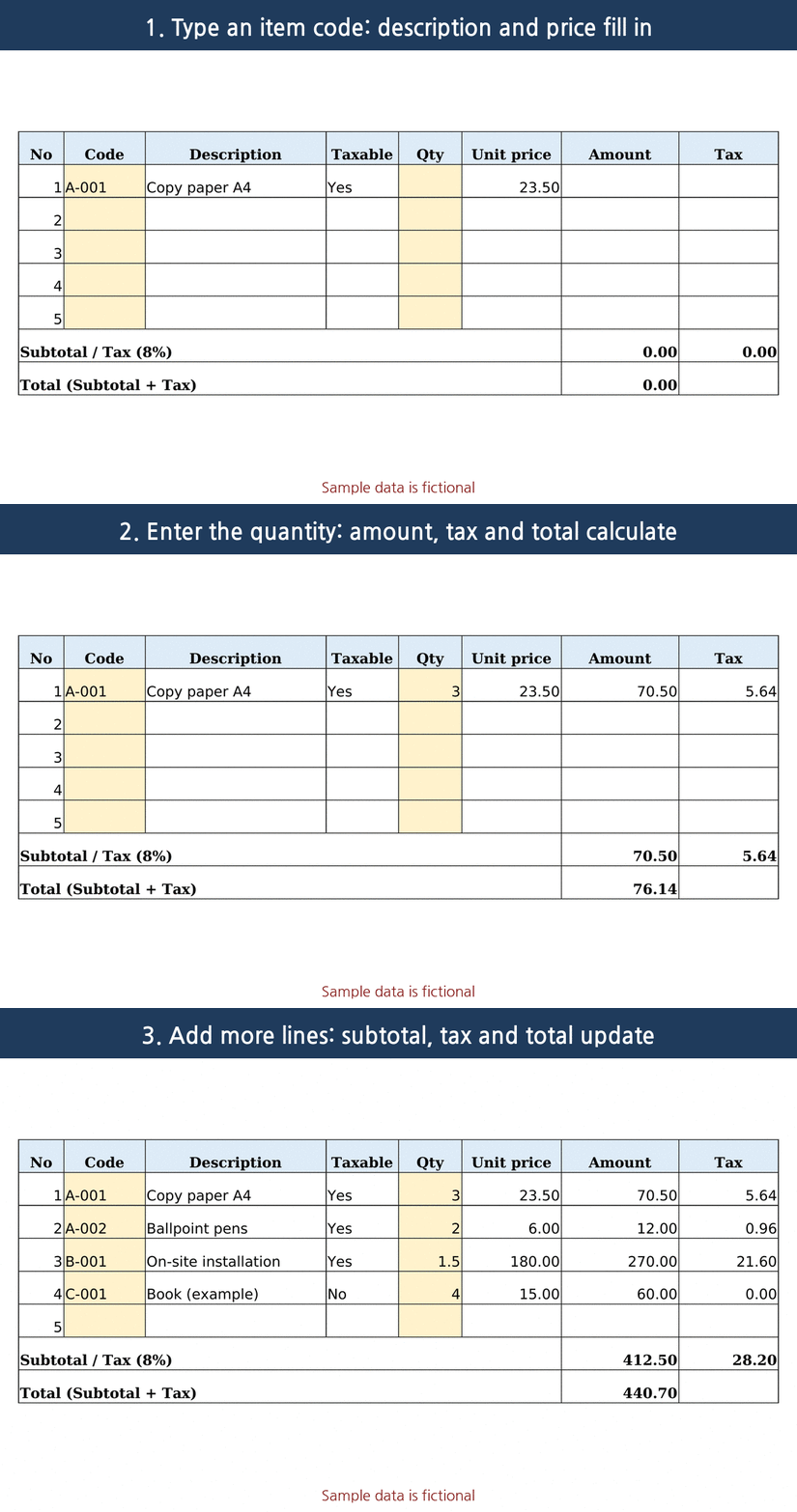
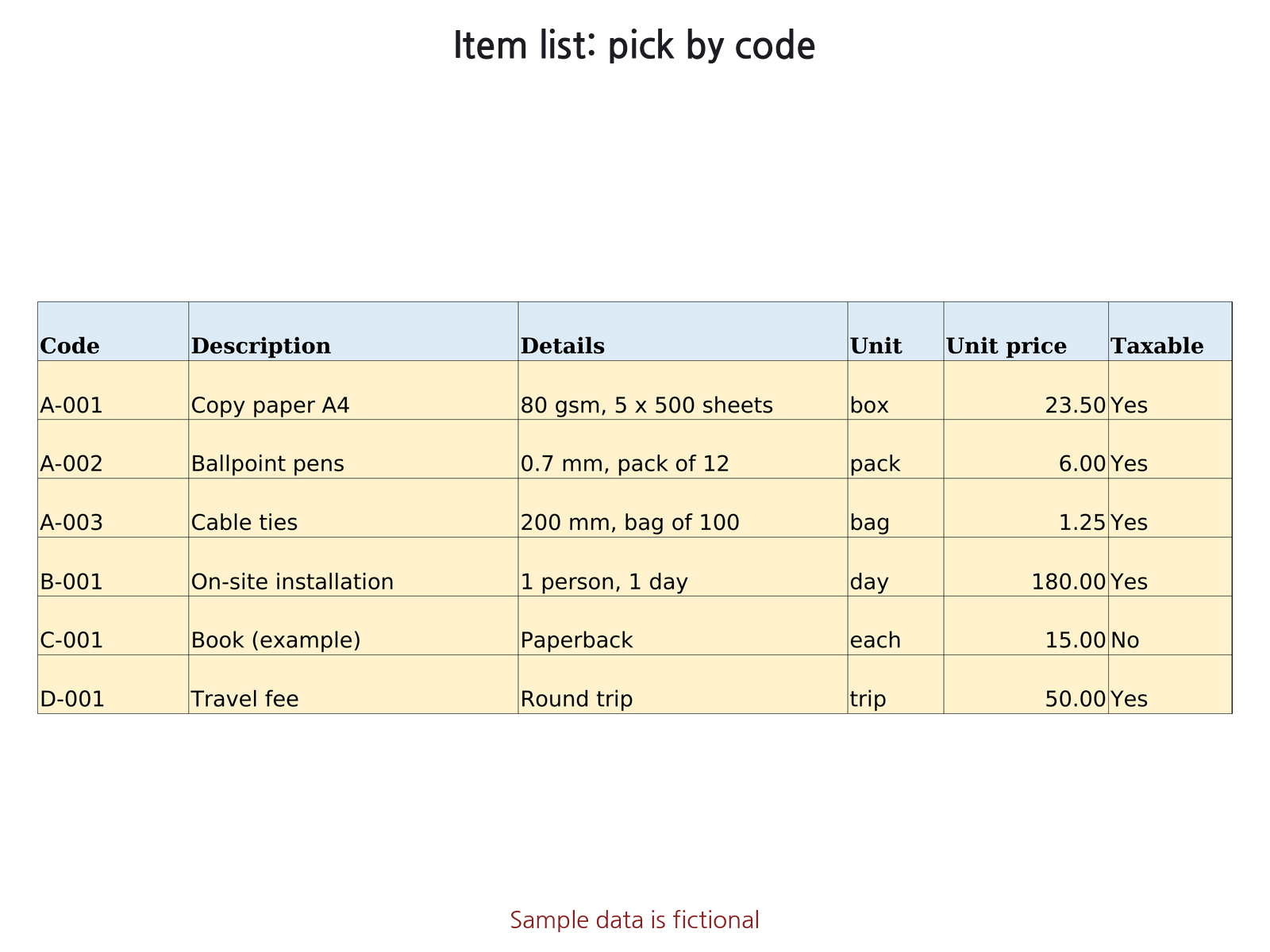
What the sheets look like
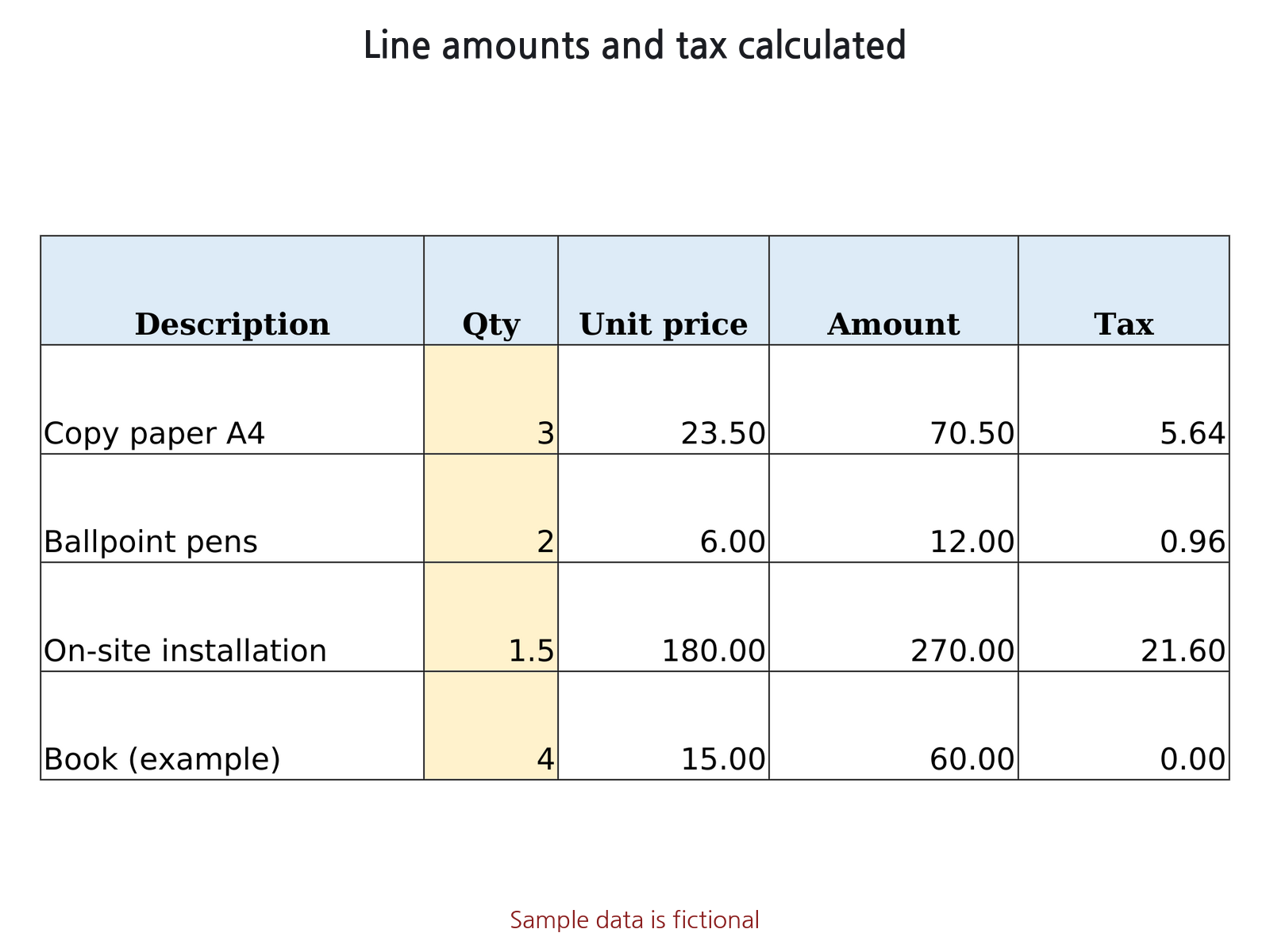
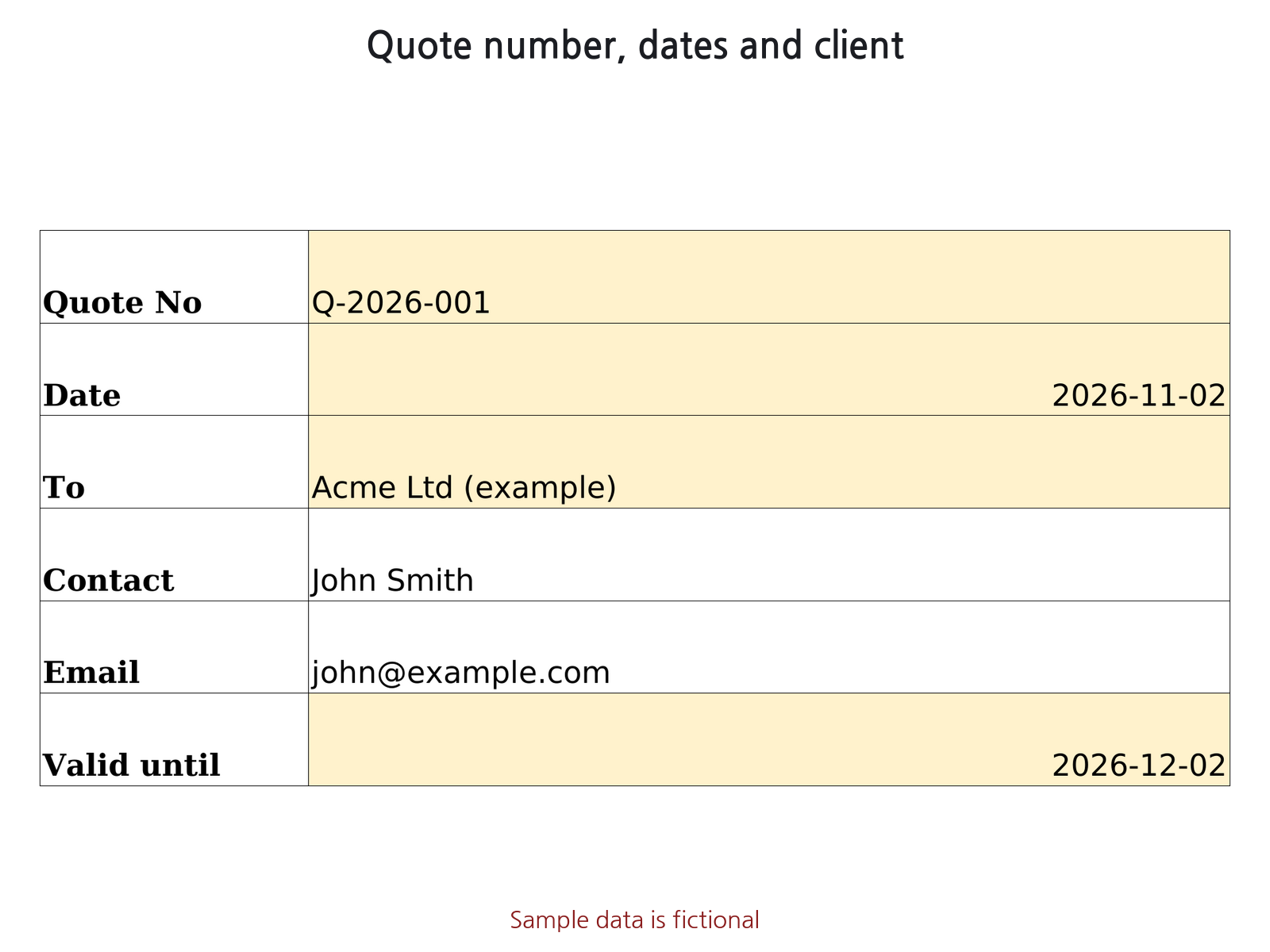
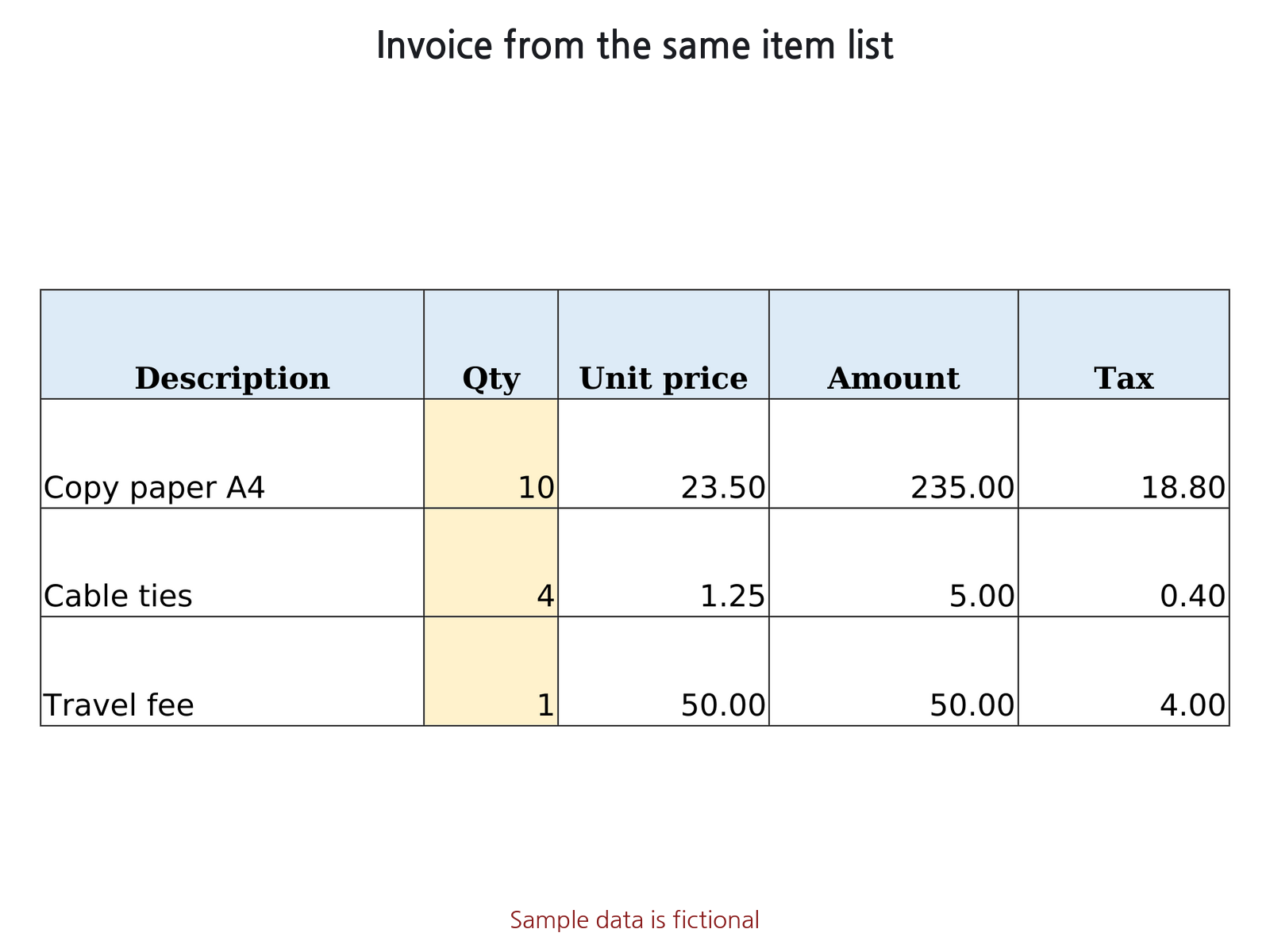
What it does
- Settings: your business details, tax rate (any %, or 0%), tax name (Tax, VAT, GST, Sales tax...), currency code, rounding (round half up or round down, 2 decimals).
- Items list (200): code, description, details, unit, unit price, taxable Yes/No. Duplicate codes are highlighted.
- Clients list (200): picking a client fills in contact and email on the Quote, and address and tax ID on the Invoice.
- Quote and Invoice sheets: 20 lines each, enter code and quantity. Unknown codes show Code not found and are left out of totals.
- Tax is calculated per line; a non-printed reference cell shows tax calculated on the total, so you can see any rounding difference.
- Ledger (500 rows) for issued documents with automatic totals.
- Set to fit one portrait page (A4 by default; US Letter also fits). Dates are YYYY-MM-DD. No macros.
What it does not do
- Not an e-invoicing or tax-compliance system. Some countries require specific invoice content or electronic submission; check your local rules.
- One tax rate per file; no separate discount or shipping lines, no multi-page overflow, no amount in words.
- You decide the tax rate and which items are taxable; the file only calculates.
How to use
- On Settings, enter your business details, tax rate, tax name and currency code.
- On Items, list your products or services with a code, unit price and Taxable Yes/No.
- Optional: list your clients on Clients.
- On Quote or Invoice, enter the number, dates and client, then only the item code and quantity per line.
- Print (one page), then record the document on Ledger.
Sheets in the file
- How to use: steps and calculation rules
- Settings: business details, tax, currency, rounding
- Items: product and service list
- Clients: client details
- Quote: printable quote
- Invoice: printable invoice
- Ledger: issued documents
Compatibility
- Microsoft Excel: .xlsx file, no macros, uses functions common to Excel 2010 and later. Not yet opened in Microsoft Excel by us.
- LibreOffice Calc: built and tested here. Every formula was recalculated in LibreOffice and compared with a separate calculation.
- Google Sheets: not tested in Google Sheets. Every function used is in Google's Sheets function list (static check only). Layout and column widths may look different.
Free guide and tool
- How to make an invoice in Excel that pulls prices from a price list (free guide)
- How to make a quote in Excel (with tax and a valid-until date) (free guide)
- Free Invoice Total Calculator (runs in your browser)
FAQ
Can I use VAT, GST or sales tax?
You set one tax rate and the tax name shown on documents. Items can be marked taxable or not. One rate per file.
Is it a compliant e-invoice?
No. It calculates and prints; it does not submit e-invoices or check local invoice rules.
Does it print on US Letter?
It is set to A4 by default. Change the paper size in Page Setup and it still fits one page.
Quote & Invoice Generator
Excel file (.xlsx), no macros. USD 7 on Gumroad.
Get it on Gumroad · USD 7Digital download. If the file doesn't work for you, email within 30 days for a full refund.
Good to know
- Made with AI; formulas checked by automated tests. Built with Claude (AI); the tests recalculate the file in LibreOffice Calc and compare against a separate calculation.
- Not reviewed by an accountant or financial professional.
- Sample data in the file and screenshots is fictional.
- This page collects no personal data. No ads or cookies; Cloudflare Web Analytics (cookieless) counts page loads, and our server only counts daily page views and buy-button clicks per page and referring site (no IP address, no user agent).